
Backgrounds that follow the cover
Dominant OKLCH colors from the album art drive a living Bicubic Hermite mesh gradient that glides into the next palette on every track change.
Pick a cover to watch it flow
A desktop music player written in pure Rust and rendered on the GPU. NetEase Cloud Music and your local library, in one place.
Free & open sourceWindows · macOS · Linux
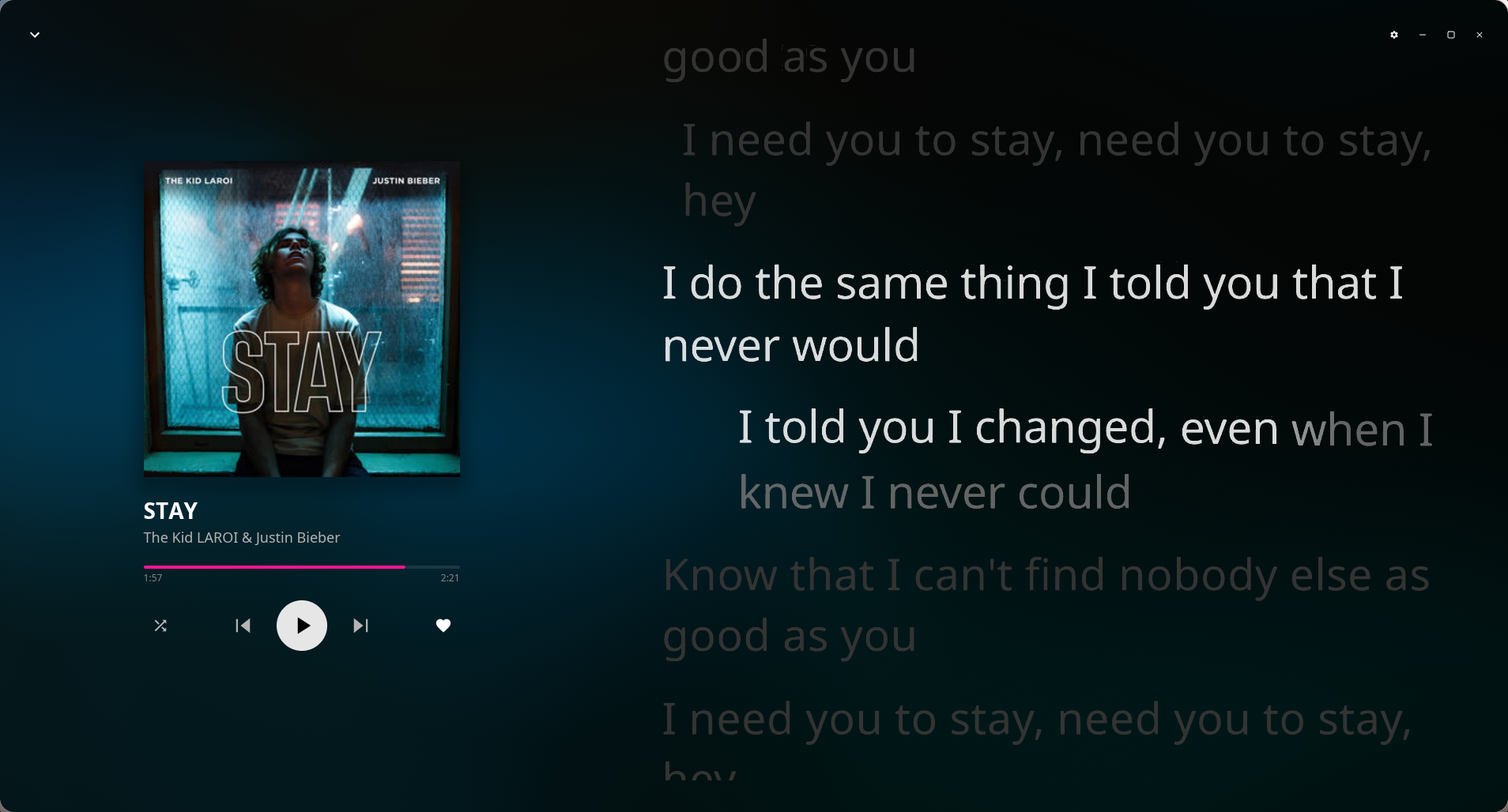
Cinematic lyrics
A custom wgpu lyrics engine: SDF glyphs light up word by word, every line rides its own spring, and layered Gaussian blur adds depth of field. Duets, background vocals, interlude breaths, translations and romanization — all there.
Leaves in Motion
Rustle Ensemble
No Electron. No WebView. Just Rust, the GPU, and the song you are listening to.
Crafted
Dominant OKLCH colors from the album art drive a living Bicubic Hermite mesh gradient that glides into the next palette on every track change.
Pure Rust with iced and wgpu. No browser engine — it starts fast and stays lean.
Native tray and system media controls, so media keys and lock-screen widgets just work.
Share what you are playing via Rich Presence.
Media keys work out of the box; every binding is yours to change.
Play or search from anywhere; a second launch hands off to the running instance.
Legacy tags in GBK, Big5, Shift-JIS, EUC-JP and EUC-KR are detected automatically.
HTTP / HTTPS / SOCKS5 / system proxy, plus an overseas compatibility mode.
Switch to plain-text lyrics in one click — smooth on old GPUs and VMs.
Simplified Chinese and English, switch any time.
Audio engine
A 10-band equalizer with preamp, a 4096-point real-time FFT, ReplayGain / R128 loudness normalization, and Automix transitions aligned to the beat.
Spectrum · 4096 FFT
Level
-∞ dB
Equalizer · Pop
Drag a node to change its gain
Reads BPM, beats, loudness and energy to blend into the next track on the beat.
ReplayGain / R128, analyzed and cached in the background when tags are missing.
Next track pre-decoded; a 5-second crossfade on natural endings.
Progressive playback, with smooth fades on play and pause.
Choose any output device; playback recovers when it reconnects.
Queue and position restored on the next launch.
Your music
QR-code sign-in. Daily picks, Private Radar, Personal FM and podcasts; saved playlists, likes, and cloud playlist editing.
Nine quality tiers
Import a folder and it becomes a playlist, kept in sync by an optional folder watcher. Edit titles, artists, albums and cover art.
A separate download quality, with tags, cover art and lyrics written in; the queue shows live speed and progress.
Same-name lyric files, .tlrc / .rlrc translations and romanization, and embedded lyric tags are found automatically.
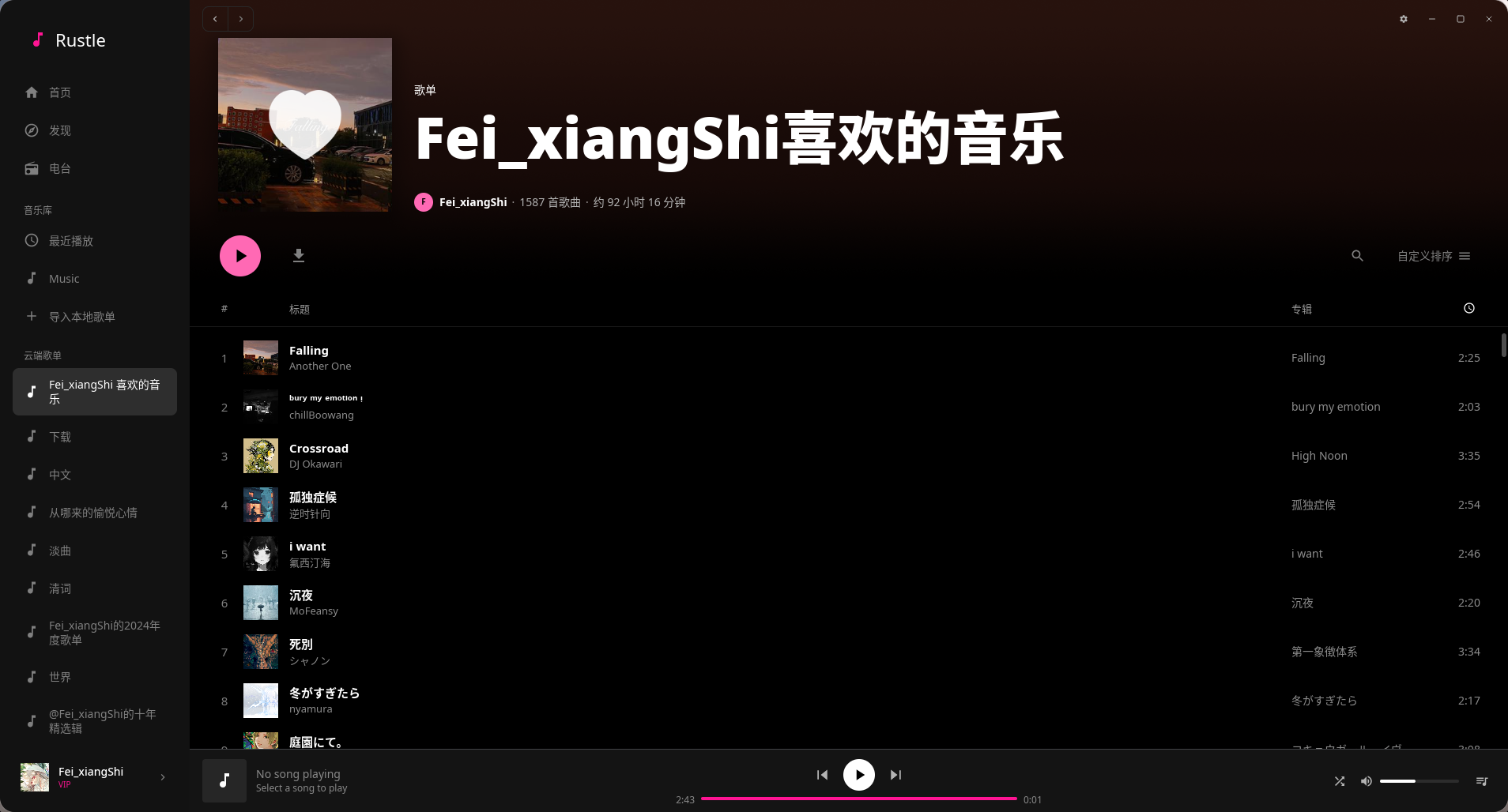
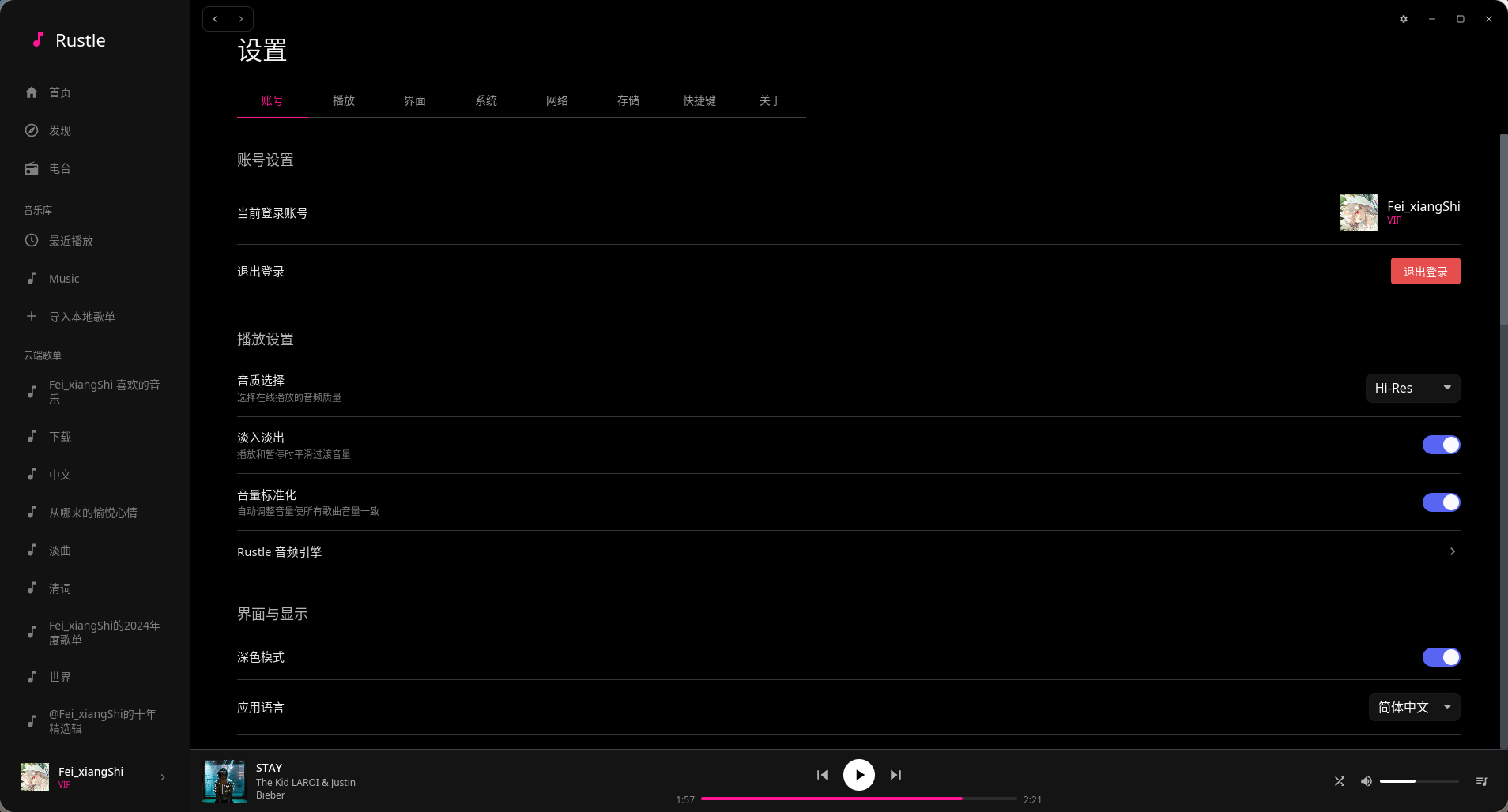
A closer look
Shortcuts
On macOS, Ctrl maps to ⌘. Global hotkeys default to Ctrl + Alt + the same key, and every binding can be changed in Settings → Shortcuts.
Download
Free and open source, for Windows, macOS and Linux.
Latest v0.5.5· Released Oct 1, 2026
x86_64
macOS 10.13 or later
x86_64
Or use a package manager
Windows · winget
$ winget install FeiXiangShi.RustleArch Linux · prebuilt
$ yay -S rustle-binArch Linux · from source
$ yay -S rustleThe lyrics engine and animated backgrounds need a GPU (Vulkan / Metal / DirectX 12). On older graphics or virtual machines, turn on Power Saver in Settings → Interface.
Open source
Licensed under AGPL-3.0-or-later. Cleanly separated crates, from audio to interface — every line is there to read, review and improve.
$ git clone https://github.com/Fei-xiangShi/Rustle$ cd Rustle$ cargo run --releaseRustle/